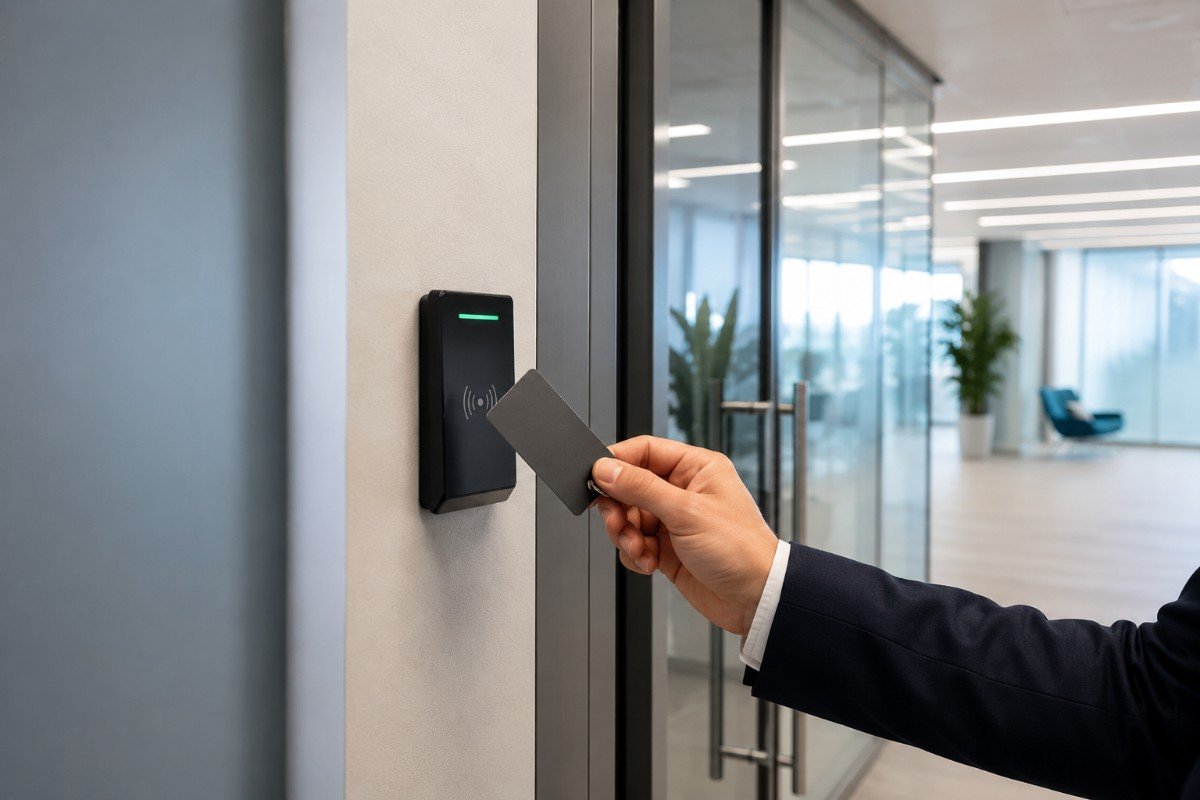
Choosing the right access control system for your Cumbria business comes down to three things: how many doors you need to control, how many people need to get through them, and how often that list of people changes. The technology, whether it is key cards, fobs, PINs or an intercom, matters less than getting those basics right. There is also one fire safety point you cannot skip, because any locked door on an escape route still has to let people out.
What access control is, and why it matters
Access control is any system that decides who can enter a building, a room or an area. At the simple end that is a coded keypad on a staff door. At the more advanced end it is a networked system that logs every door opening across several sites in real time, using key cards, fobs, PINs or an intercom for visitors.
For most businesses the reasons come down to security, accountability and convenience. Controlling who gets in reduces theft and unauthorised access, a good system keeps a log so you know who was where and when, and nobody has to chase lost keys or change the locks every time a member of staff leaves.
Choosing the right system for your business
Start with how you actually work, not with the kit. A settled team of ten rarely needs the same setup as a hotel issuing fifty guest cards a week. If your list of users changes often, which is common across Cumbria’s hospitality and tourism trade in season, you want a system where adding or removing someone takes minutes rather than an afternoon of relocking doors.
If you need to know who entered a stockroom at three in the morning, you need event logging. That matters for insurance claims, staffing investigations and regulated settings such as care homes. Factor in the running costs too, because replacement cards, software licences and servicing vary a lot between systems.
System selection checklist
- Count every entry point that needs controlling, inside and out.
- Estimate how many users you have and how often that list changes.
- Decide whether you need a full record of who came and went, for compliance or insurance.
- Mark which controlled doors sit on escape routes, because those need to release automatically in a fire.
- Budget for running costs: replacement fobs and cards, cloud licences and annual servicing.
- For holiday lets, consider smart locks with temporary codes that suit your booking pattern.
Access control and fire safety
This is the part that catches businesses out. A door can be locked tight against people coming in and still have to open freely for people getting out. Get the security right and the escape wrong, and you have a serious safety problem on your hands.
As the person responsible for the premises, you must make sure any door people would use to escape can be opened easily and immediately by anyone who needs it, and that it opens in the direction of escape. In practice that means an electric lock on an escape route should release the moment the fire alarm sounds and if the power fails, with a manual release on the side people escape towards. Your fire risk assessment should record this for every affected door, and the access control and fire alarm systems need to be planned together rather than bolted on separately.
If a lock on an escape route fails to release when the alarm activates, people can be trapped. Test the release on every access-controlled escape door as part of your routine fire alarm checks, and keep a record, because that is the evidence an assessor or insurer will look for.
Fire is not a rare event in commercial buildings. There were more than 13,000 fires in non-dwelling buildings such as shops, offices, hotels and warehouses across England in a single recent year, which is why the way your doors behave in an emergency is worth getting right.
Standalone or networked: which suits you
A standalone, single-door system uses one reader on one door. It is simple to fit, costs less up front, and suits small premises with only one or two controlled doors. The trade-off is that each door is managed on its own, with no central record and no quick way to update everyone at once.
A networked, multi-door system manages every door from one place. You can add or remove access in minutes, you get a full record of who used which door and when, and it scales comfortably across a hotel, a multi-site operation or seasonal staffing. There is more to set up at the start, but far less admin once it is running.
Frequently asked questions
Do I need access control if I already have a burglar alarm?
They do different jobs. A burglar alarm detects intrusion and raises an alert, usually out of hours. Access control stops unauthorised entry in the first place and records who comes and goes during the day. Many businesses run both, with the alarm covering the empty building and access control managing who reaches sensitive areas while it is in use.
Can access control doors be used as fire exits?
Yes, as long as the door still lets people out freely. A door on an escape route must open in the direction of escape and must never be locked so that it cannot be opened easily and immediately in an emergency. Any electric lock on that door should release automatically when the alarm sounds and if the power fails, with a manual release on the escape side.
How often should an access control system be serviced?
Follow the manufacturer’s and installer’s advice, which for most systems is at least one service visit a year, with more frequent checks for busy or high-security sites. Where a lock sits on an escape route, the automatic release should be proven too, which ties in with your fire alarm maintenance.
Sources
- Home Office, Fire and rescue incident statistics, England, year ending March 2025 (gov.uk).